If you have ever noticed green text messages on your iPhone, you may have wondered what they actually mean. Many iPhone users become confused when some messages appear in blue bubbles while others turn green.
This difference often raises questions about whether something is wrong with the phone, whether the recipient blocked them, or if there is a network issue.
Understanding green text meaning on iPhone is important because it affects how messages are sent and received. In most cases, green text messages simply indicate a different messaging system being used. However, there are several reasons why texts can appear green, and each situation may mean something different.
People commonly search for this topic to understand iPhone messaging behavior, avoid confusion, and solve texting problems.
Whether you are chatting with friends, messaging on social apps, or communicating professionally, knowing why messages appear green can help you better understand your conversations and avoid unnecessary misunderstandings.
Meaning & Definition
The green text meaning on iPhone mainly refers to messages sent through SMS (Short Message Service) or MMS (Multimedia Messaging Service) instead of Apple’s iMessage system.
On iPhones, text bubbles generally come in two colors:
- Blue Text Bubble: Sent using iMessage between Apple devices.
- Green Text Bubble: Sent using standard SMS or MMS through a mobile carrier.
In simple words, when a text appears green, it usually means the message is not being sent through Apple’s internet-based messaging platform. Instead, it relies on your cellular network.
Green text messages can happen for several reasons, including:
- The recipient is using an Android phone.
- iMessage is turned off on your device or theirs.
- There is no internet connection available.
- Apple’s iMessage service is temporarily unavailable.
- The message is sent as a traditional text message.
Unlike iMessage, green texts may not support advanced features such as:
- Read receipts
- High-quality media sharing
- Message reactions
- End-to-end encryption
- Typing indicators
This distinction helps users understand why some conversations feel different from others.
Why Are My Texts Green When Texting Another IPhone How to Fix
- Check if iMessage is turned on in Settings
- Make sure both iPhones have an active internet connection
- Verify the recipient also has iMessage enabled
- Restart your iPhone to refresh network settings
- Sign out and back into your Apple ID
- Update iOS to the latest version
- Toggle iMessage off and back on
- Check if your carrier is experiencing issues
- Confirm your phone number is linked to iMessage
- Reset network settings if the issue continues
- Ask the recipient to check their iMessage settings
- Ensure Airplane Mode is turned off
- Wait if Apple services are temporarily unavailable
- Contact Apple Support if none of the fixes work
Background of iphone
To fully understand green text messages, it helps to know how Apple’s messaging system works.
Apple introduced iMessage in 2011 as an internet-based communication platform exclusively for Apple users. When two Apple devices communicate with iMessage enabled, texts appear in blue bubbles.
However, not everyone uses an iPhone. To maintain compatibility with Android devices and older phones, Apple still supports SMS and MMS messaging through mobile carriers. These messages appear in green bubbles.
Originally, SMS messaging was the global standard for text communication. It worked through cellular networks rather than the internet. Over time, messaging apps introduced richer features, but SMS remained as a backup method.
Today, green messages mainly appear when:
Messaging Android Users
If the other person uses Android, the iPhone automatically switches to SMS/MMS.
Internet Problems
When Wi-Fi or mobile data is unavailable, iMessage cannot function properly, forcing messages to use SMS.
Disabled iMessage
If iMessage is disabled in settings, all texts may appear green.
Carrier Restrictions
In some cases, mobile networks or temporary issues can prevent iMessage from working correctly.
This background explains why green text bubbles are not necessarily a problem—they are often just part of normal phone communication.
Green Message on IPhone Mean Blocked
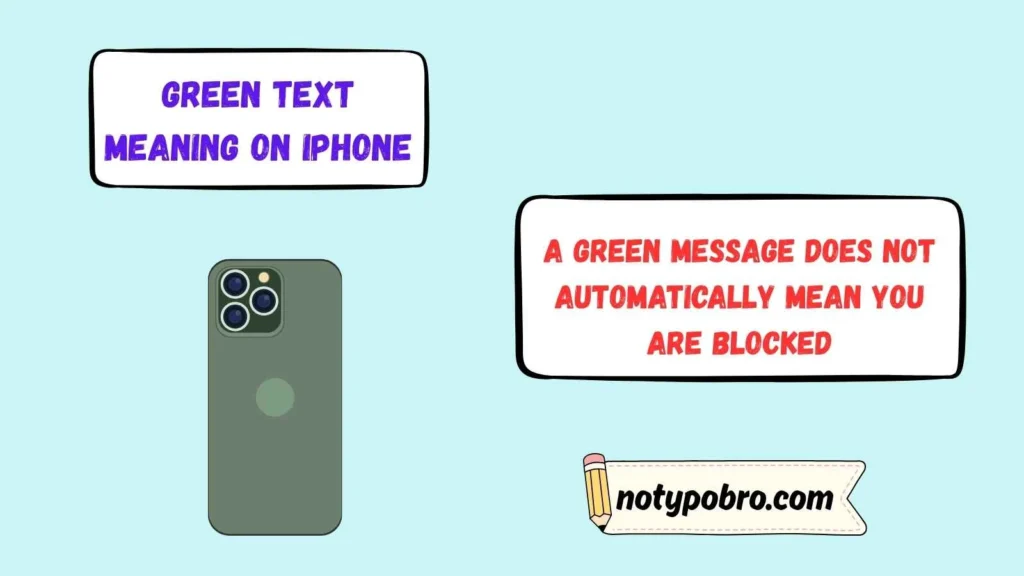
- A green message does not automatically mean you are blocked
- Green bubbles usually indicate SMS instead of iMessage
- The recipient may have disabled iMessage
- Their iPhone could be turned off
- They may have no internet connection
- They could be using an Android device
- Apple servers might be temporarily unavailable
- Your iMessage settings may need attention
- Carrier SMS is being used instead of iMessage
- The recipient may have switched phones
- Network problems can trigger green messages
- Blocking cannot be confirmed by message color alone
- Delivery behavior varies for blocked contacts
- Green messages are not reliable proof of being blocked
Usage in Different Contexts
The meaning of green text on iPhone can vary depending on where and how communication happens.
Personal Chat
In everyday texting, green messages usually mean you are communicating with someone outside Apple’s ecosystem or using regular SMS. Friends and family often notice this difference and become curious about what it means.
Social Media Communication
When discussing screenshots or message colors online, people often mention green texts to indicate texting an Android user or experiencing an iMessage issue.
Professional Communication
In workplaces, green texts are generally not important unless messaging reliability matters. Business communication may rely on SMS because it works even without internet access.
Technical Support
Tech support conversations frequently involve troubleshooting green messages. Common questions include:
- Why are my texts green suddenly?
- Did someone block me?
- Is iMessage broken?
Understanding the context prevents unnecessary confusion.
Meaning in Chat, WhatsApp, Instagram, and TikTok
The interpretation of green text changes across platforms.
In Chat
On iPhone messaging, green text specifically refers to SMS/MMS communication. It signals a technical difference rather than emotional meaning.
On WhatsApp
Green colors are part of WhatsApp’s branding and interface. They usually do not indicate SMS communication.
On Instagram
Green text may refer to the “Close Friends” feature or highlighted messages depending on the context.
On TikTok
Users sometimes joke about green text bubbles, often associating them with Android texting culture or failed iMessage conversations. Memes around green messages are common and are usually meant humorously.
Each platform uses colors differently, so context matters before assuming a specific meaning.
Why Are My Messages Green When They Should be Blue
- iMessage may be disabled on your device
- The recipient may have turned off iMessage
- No Wi-Fi or mobile data connection is available
- Apple servers may be temporarily down
- Your Apple ID may need verification
- The contact could be using Android
- Carrier SMS is replacing iMessage
- Your iPhone may need a software update
- Restarting the device can resolve temporary glitches
- Network settings may need to be reset
- The recipient recently changed devices
- Your SIM card may have network issues
- iMessage activation may have failed
- Re-enabling iMessage often fixes the problem
Meaning in Physics, Medical, and Aircraft Terminology
Although the topic mainly relates to iPhones, the phrase “green text” may sometimes appear in technical fields.
Physics
In physics interfaces or simulations, green text may indicate active measurements, positive values, or highlighted data.
Medical Terminology
Medical software often uses green-colored text to represent stable conditions, approved reports, or completed processes.
Aircraft Terminology
Aircraft systems frequently display green indicators to show normal operational status. Green text on cockpit displays may signal that systems are functioning properly.
These meanings are unrelated to iPhone messaging but may appear during broader searches.
Does Green Text Mean Blocked
- Green text alone does not confirm blocking
- SMS messages always appear green
- Internet issues can switch messages to SMS
- Disabled iMessage causes green bubbles
- Android users always receive green messages
- Apple service interruptions affect message color
- Phone settings can change delivery methods
- Carrier limitations may force SMS
- A powered-off iPhone can trigger SMS fallback
- Green bubbles occur for several normal reasons
- Blocking has no official visual indicator
- Read receipts are unrelated to bubble color
- Delivery status may vary by situation
- Never assume blocking based only on green text
Common Misconceptions
There are several myths surrounding green text messages.
“Green Text Means You Are Blocked”
This is one of the biggest misconceptions. A green message does not automatically mean blocking. It could simply indicate SMS delivery.
“Green Text Means Someone Switched Phones”
Sometimes true, but not always. The person may simply have disabled iMessage or lost internet access.
“Green Text Means a Problem with Your iPhone”
Usually false. Green texts are normal and expected in many situations.
“Blue Messages Are Better”
Blue messages offer more features, but green texts still function effectively for communication.
Understanding these myths helps reduce unnecessary anxiety.
Why is My IPhone Sending Green Messages To One Contact
- That contact may have disabled iMessage
- Their device may not be connected to the internet
- They could be using a different phone temporarily
- Their Apple ID may have been signed out
- Your contact information might be outdated
- iMessage activation may have failed for them
- Your iPhone may need a restart
- Network issues can affect one conversation
- Their phone number may not be registered with iMessage
- SMS fallback may be enabled
- They may have switched to Android
- Apple server issues can affect individual chats
- Recreating the conversation may help
- Checking both devices usually resolves the issue
Similar Terms & Alternatives
Several terms are often confused with green text messaging.
- iMessage – Apple’s internet-based messaging service.
- SMS – Standard text messaging through mobile carriers.
- MMS – Multimedia messages with images or videos.
- RCS Messaging – A more advanced texting standard often used on Android devices.
- Text Bubble Colors – Visual indicators showing message type.
Knowing these alternatives helps users understand modern messaging systems more clearly.
Green Text on IPhone
- Green bubbles represent SMS or MMS messages
- Blue bubbles represent iMessages
- Green messages use your mobile carrier
- SMS works without internet access
- MMS supports photos and group messages
- Android conversations appear green
- Green messages may have carrier charges
- Internet is not required for SMS
- Delivery features differ from iMessage
- Encryption is not available with standard SMS
- Green bubbles are normal in many situations
- Message color depends on the delivery method
- Green does not always indicate a problem
- Understanding message colors helps troubleshoot issues
How to Respond to It
If someone sends a green text, there is usually no special response needed. However, depending on the situation, you can:
If Messaging Fails
Try sending the message again or check internet settings.
If You Suspect Technical Problems
Ask the other person if iMessage is enabled.
If You Think You Were Blocked
Avoid assumptions. Green texts alone are not proof of blocking.
If It Happens Suddenly
Restart your device or check network settings.
Responding calmly and logically prevents misunderstandings.
Green vs Blue Text IPhone
- Blue messages use Apple’s iMessage service
- Green messages use SMS or MMS
- Blue messages require internet access
- Green messages use your mobile carrier
- Blue chats support end-to-end encryption
- Green chats do not offer iMessage features
- Read receipts work with blue messages
- Typing indicators appear in blue conversations
- Higher-quality media is supported with iMessage
- SMS has more limited messaging features
- Blue messages work between Apple devices
- Green messages support communication with Android users
- Both message types have different delivery methods
- Knowing the difference helps solve messaging problems
Differences from Similar Words
Many people confuse green text with related messaging terms.
| Feature | Green Text | Blue Text |
|---|---|---|
| Messaging Type | SMS/MMS | iMessage |
| Internet Required | No | Yes |
| Works with Android | Yes | No |
| Read Receipts | Usually No | Yes |
| Encryption | Limited | Better Security |
The biggest difference is simply the communication method.
Relevance in Online Conversations & Dating Apps
Green text bubbles sometimes become a social topic online, especially in dating culture.
Some users jokingly associate green texts with Android devices, while others treat blue bubbles as a preference in relationships. Memes about texting habits are common on dating apps and social media.
However, message color should not define communication quality. Reliability, honesty, and good conversation matter far more than whether texts appear green or blue.
In online communities, green texts are often discussed humorously, but practically speaking, they are simply another way to communicate.
How to Fix Green Messages to Blue on IPhone
- Enable iMessage in Settings
- Connect to Wi-Fi or mobile data
- Restart your iPhone
- Check Apple System Status
- Verify your Apple ID is signed in
- Update your iPhone software
- Toggle iMessage off and back on
- Confirm the recipient uses iMessage
- Reset network settings if necessary
- Ensure your phone number is registered
- Disable and re-enable FaceTime and iMessage
- Remove and re-add the contact if needed
- Wait for iMessage activation to complete
- Contact Apple Support if the issue persists
FAQs:
Why are my iPhone texts green instead of blue?
Green texts usually mean your messages are being sent through SMS/MMS instead of iMessage.
Does green text mean I am blocked?
No. Green text alone does not confirm blocking.
Why did my messages suddenly turn green?
This can happen due to poor internet, disabled iMessage, or messaging a non-Apple device.
Can I turn green messages blue?
Yes, if both users have iPhones and iMessage is enabled.
Are green messages safe?
Yes, but they may not have the same encryption features as iMessage.
Do Android users always receive green texts?
Yes, when texting from an iPhone to Android, messages generally appear green.
Conclusion:
Understanding green text meaning on iPhone helps eliminate confusion about Apple messaging. In most situations, green messages simply indicate SMS or MMS communication instead of iMessage. This may happen because the recipient uses Android, internet access is unavailable, or iMessage is disabled.
Many myths surround green texts, but they rarely indicate serious issues. Rather than assuming problems such as blocking or technical failure, it is better to understand the practical reasons behind them.
Whether you are chatting with friends, using social apps, or communicating professionally, knowing how iPhone text colors work can improve your overall messaging experience and reduce misunderstandings.

I’m a passionate writer and content creator with a strong interest in sharing valuable insights, practical knowledge, and engaging information across a variety of topics. I enjoy researching, learning, and transforming complex ideas into clear and easy-to-understand content for readers worldwide. My goal is to provide accurate, helpful, and well-structured articles that inform, educate, and inspire. Through my work, I strive to create content that adds real value and enhances the reader’s experience.